
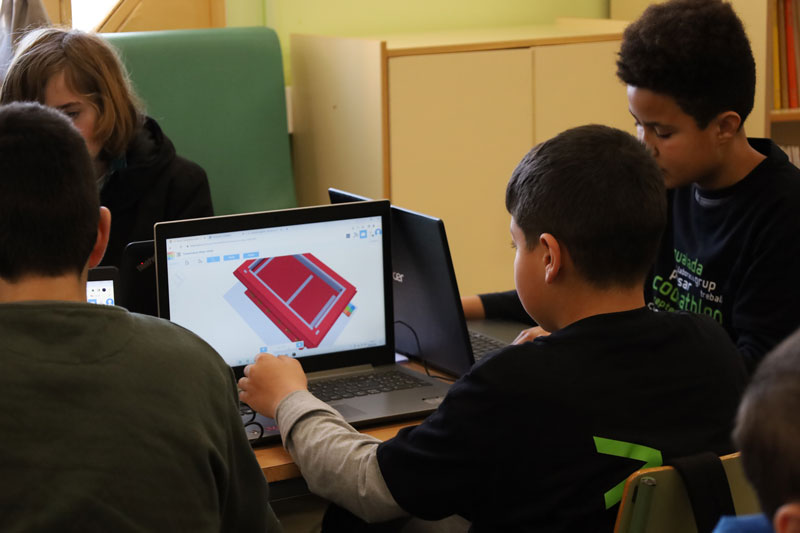
From March 9 to 13, our centers are celebrating the second themed week of the course, which this time is dedicated to TinkerCAD, a platform widely used to introduce people to the world of 3D design, electronics, and circuit simulation.
What is Tinkercad?
Tinkercad is a free tool that runs directly in the browser and was developed by Autodesk with the goal of making 3D design accessible to everyone. Unlike more advanced 3D modeling programs—which often require significant technical knowledge—Tinkercad focuses on a highly visual and intuitive interface. The workspace consists of a three-dimensional grid where different geometric shapes can be placed and manipulated.
The tool works by combining basic shapes such as cubes, cylinders, spheres, and prisms. Starting from these initial pieces, more complex objects can be built by modifying their size, position, or rotation. This system makes it very easy to understand fundamental concepts of three-dimensional design, such as dimensions, scale, and the orientation of objects within a 3D space.
Simple and intuitive 3D modeling
One of the most interesting aspects of Tinkercad is the way it allows models to be modified. Shapes can not only be added but also converted into “holes” to remove parts of other objects. This technique makes it easy to create cavities, fittings, or details and naturally introduces some of the basic principles of computer-aided design, known as CAD.
The tool also includes features that greatly simplify the design process, such as the ability to precisely align objects, duplicate them, or create symmetrical versions. All of this makes it possible to build increasingly sophisticated models without needing to master more complex professional programs.
From digital design to 3D printing
Many people use Tinkercad as their first step into the world of 3D printing. Once a model is finished, it can be exported in standard formats such as STL or OBJ, which are used by software that prepares parts for 3D printers. This makes it possible to move from a digital idea to a physical object—a process that helps users better understand the relationship between design and manufacturing.
This workflow—imagining, designing, and manufacturing—is one of the reasons why 3D modeling has become such an interesting tool in technology education.
Circuit simulation and Arduino
Beyond 3D modeling, Tinkercad also includes an environment for simulating electronic circuits. In this space, users can build setups with common components such as LEDs, resistors, buttons, or sensors, and see how they work without needing the actual hardware. The simulator allows users to observe the behavior of the circuit in real time and makes experimentation easier without the risk of damaging any components.
This environment also includes the possibility of working with Arduino boards. Circuits can be programmed either with visual blocks or with code, allowing users to start with a more intuitive approach and gradually move toward text-based programming. This combination of simulation and programming makes the tool a good entry point into the world of electronics and interactive systems.
A very useful tool for getting started
Thanks to its simplicity and the range of features it integrates, Tinkercad has become a widely used platform in educational environments. It allows users to explore concepts of design, technology, and creativity in a practical and visual way, helping students understand how ideas can be transformed into real objects and projects.